









Price: ₹1,499 - ₹664.00
(as of Feb 28, 2025 14:49:20 UTC – Details)

Product Description

Jio remote for setup box

Jio remote
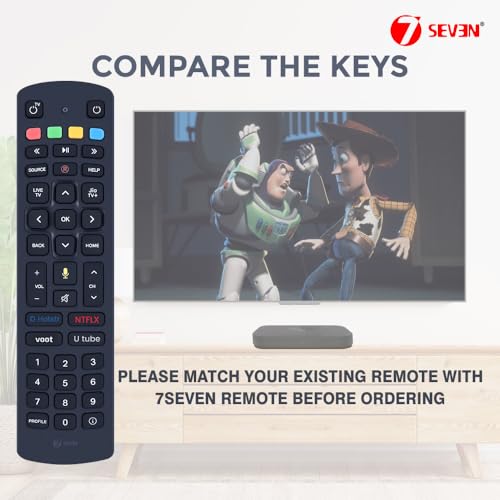
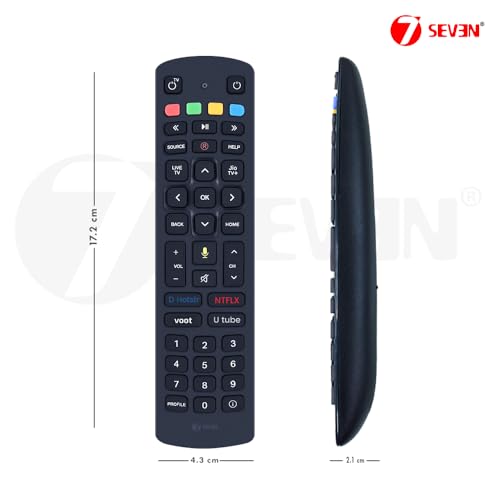
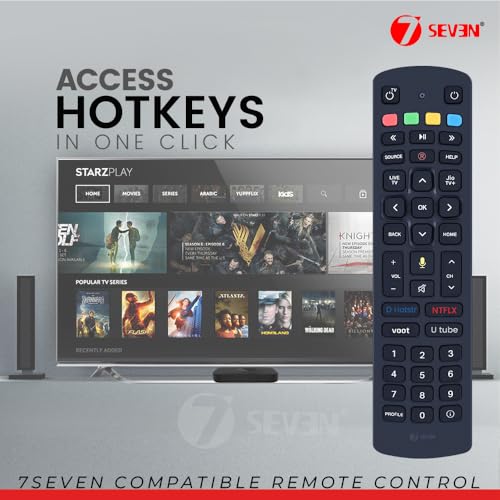
Compatible remote controllers for Jio set-top boxes are specifically crafted to operate seamlessly with Jio’s set-top box devices, including the Jio Remote for Setup Box and the Jio Setup Box Remote. These remotes typically feature a button configuration that includes standard navigation keys like arrow keys, an OK or select button, volume and channel controls, and a power button. For added functionality, these remotes also include dedicated buttons for features such as Home, Back, Info, Guide, and quick access to streaming services or applications.
Some remotes, such as the Jio TV Remote Original and the Jio Fiber Remote, may also incorporate voice control capabilities, facilitated by a built-in microphone or a designated voice control button. Utilizing infrared (IR) technology, these remotes establish connectivity with the Jio Set Top Box, ensuring compatibility through matching IR signal specifications. Models like the Jio Fibre Remote and Jio Fiber Set Top Box Remote offer a reliable connection for smooth operation.
Designed with an ergonomic layout, these remotes fit comfortably in hand, enabling smooth navigation and control for devices such as the Jio STB Remote or Jio Box Remote. These remotes commonly operate on readily available battery type AAA batteries, including popular models like the Jio Air Fiber Remote, Jio Remote for Jio Fiber, and Jio Fiber TV Remote.
Whether replacing an old device or upgrading to a Jio Remote Control, options such as the Jio Remote for Setup Box Original, Jio Setup Box Remote Original, and Remote for Jio Set Top Box ensure seamless compatibility with your Jio Set Top Box for TV or Jio Fiber Set Top Box. These remotes provide a user-friendly experience for your Jio Set Up Box Remote and other related devices.
Jio fiber voice remote pairing

Jio STB remote controller with Google Assistance
Step 1 of Pairing:
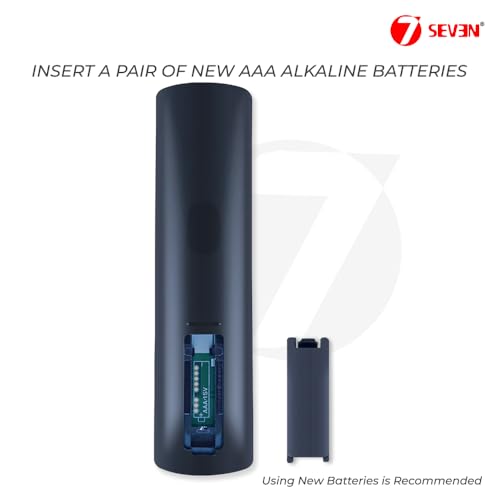
Insert a pair of AAA Alkaline Batteries (New) into the designated slot of the Jio Remote for Setup Box or any other compatible model like the Jio Setup Box Remote or Jio Fiber Remote. Whether you’re using a Jio TV Remote Original, Jio Fibre Remote or Jio Fiber Set Top Box Remote. Fresh batteries ensure better functionality and enhance the overall performance of the Jio Remote Control when synchronizing it with devices such as the Jio Set Top Box, Jio Setup Box or Remote for Jio Set Top Box. This applies to various models, including the Jio Set Top Box Remote Original, Jio STB Remote and Jio Air Fiber Remote. Note: Batteries will not be included with the Jio Remote for Jio Fiber, Jio Remote for Setup Box Original or other remotes like the Remote Jio Set Top Box, Jio Settop Box Remote or Jio Box Remote. For the best experience, ensure your Jio Fiber Remote Original, Jio Fiber TV Remote, Jio Setup Box Remote Original and Jio Set Up Box Remote.

Jio fiber set top box remote
Step 2 of Pairing:
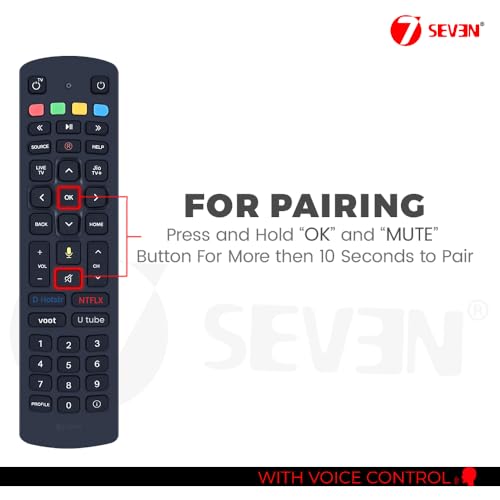
To pair the Jio Remote for Setup Box, press and hold the OK and MUTE buttons simultaneously for more than 3 seconds until the LED indicator starts blinking. This process applies to various models such as the Jio Setup Box Remote, Jio TV Remote Original and Jio Fiber Remote. Once the LED begins blinking, it indicates that the pairing mode is active. After a successful connection between the Jio Fibre Remote or the Remote for Jio Set Top Box and the device, the LED will stop blinking, confirming a successful pairing. It’s important to note that this setup procedure is specifically for voice-enabled remotes, including the Jio Remote for Jio Fiber, Jio Air Fiber Remote and the Jio Fiber Set Top Box Remote. Non-voice remotes, such as the Jio Set Top Box Remote Original, Jio STB Remote, or the Jio Box Remote, do not require this pairing process. The same applies to models like the Jio Fiber TV Remote, Jio Setup Box Remote Original and the Jio Set Up Box Remote.

Jio Voice remote controller
Step 3 of Pairing:
For Jio Set-Top Box Remote Controllers, such as the Jio Remote for Setup Box, once successfully paired, users can seamlessly enjoy watching TV with their device. Models like the Jio Fiber Remote, Jio Air Fiber Remote and Jio Remote for Jio Fiber require this pairing process for activation. On the other hand, remote controllers like the Jio Setup Box Remote, Jio TV Remote Original, Jio Set Top Box Remote Original and the Jio Fiber Set Top Box Remote do not necessitate pairing and can be used immediately without any setup process. This includes remotes like the Remote for Jio Set Top Box, Jio STB Remote, Jio Box Remote, and the Jio Set Up Box Remote, which offer plug-and-play convenience. Whether you’re using the Jiofiber Remote Control, Jio Fiber TV Remote or the Jio Setup Box Remote Original, these devices enable users to instantly enjoy their television viewing experience. With models such as the Jio Set Top Box for TV or Remote Jio Set Top Box.
Add to Cart
Add to Cart
Add to Cart
Add to Cart
Customer Reviews
1.7 out of 5 stars 122
1.7 out of 5 stars 122
1.7 out of 5 stars 122
1.7 out of 5 stars 122
3.7 out of 5 stars 2,382
Price
₹369.00₹369.00 ₹369.00₹369.00
— ₹799.00₹799.00 ₹664.00₹664.00
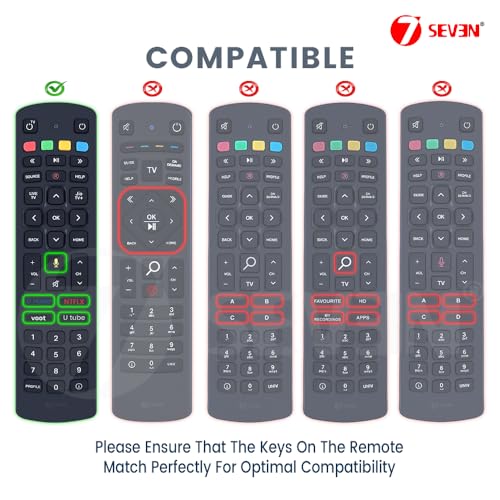
Voice Controller
Non-Voice Non-Voice Non-Voice
✓
✓
Pairing
No Pairing Needed No Pairing Needed No Pairing Needed
✓
✓
Hot Keys
No Hot Keys Given No Hot Keys Given No Hot Keys Given No Hot Keys Given
✓
【How to Pair Jio Remote】: Hold the “OK” + “MUTE” keys simultaneously for 3-5 seconds. Keep a distance of 20 cm between your Jio Set Top Box, Jio STB Remote and Jio Fiber Set Top Box Remote. Once the LED starts blinking, the pairing will complete automatically. This process works for Jio Remote for Jio Fiber, Jio Remote Control and Jio Air Fiber Remote as well. A detailed manual is included for your convenience.
【Quick Response】: Equipped with updated infrared technology, the Jio Fiber Remote Original offers an exceptional response time of 0.2 seconds. This Remote Jio Set Top Box supports a range of up to 10 meters (32 feet) for seamless use. Whether controlling the Jio Box Remote, Jio Fiber TV Remote or the Jio Setup Box, it ensures quick and reliable performance.
【Caution】: Avoid mixing old and new batteries to ensure optimal performance of the Jio Set Top Box for TV remote. If the remote becomes unresponsive, replace the batteries with fresh AAA alkaline ones. This applies to all models, including the Jio Setup Box Remote Original and Jio Set Up Box Remote. Note: Batteries are not included in the package.
【SIMPLE SETUP】: Pre-programmed for immediate use, this remote supports various Jio Fiber Set Top Box models. With a comprehensive code library and auto-scan technology, the Jio Remote for Setup Box Original offers trouble-free setup. It’s lightweight, compact and features advanced functionality, making it the perfect replacement for old or damaged remotes such as the Jio STB Remote, Jio Fiber Set Top Box Remote and Jio TV Remote.


Reviews
Clear filtersThere are no reviews yet.